
Huawei BBU5900 Board Compatibility Guide: UBBP, UMPT, UPEU and FAN Units
Huawei BBU5900 is one of the most frequently requested baseband platforms in the secondary telecom equipment market.
In recent weeks, we have received several BBU5900-related RFQs from customers in Russia and Turkey. A French customer is also evaluating an order for 12 BBU5900 units.
However, these requests are rarely as simple as buying an empty BBU5900 chassis.
Customers may require:
- BBU5900 chassis
- FANf fan module
- UPEUe power and environment interface unit
- UMPT main control and transmission board
- UBBP baseband processing boards
- UEIUb environment interface unit
- USCU clock or satellite card
- Optical modules and fiber cables
- Power connectors and installation accessories
Commonly requested boards include UBBPe4, UBBPd6, UBBPe6, UBBPg1a, UBBPg2 and UMPTg3.
The difficult part is not simply finding these boards. The real challenge is confirming whether the complete configuration is compatible with the buyer’s network, software release, radio technology and capacity requirements.
What Is Huawei BBU5900?
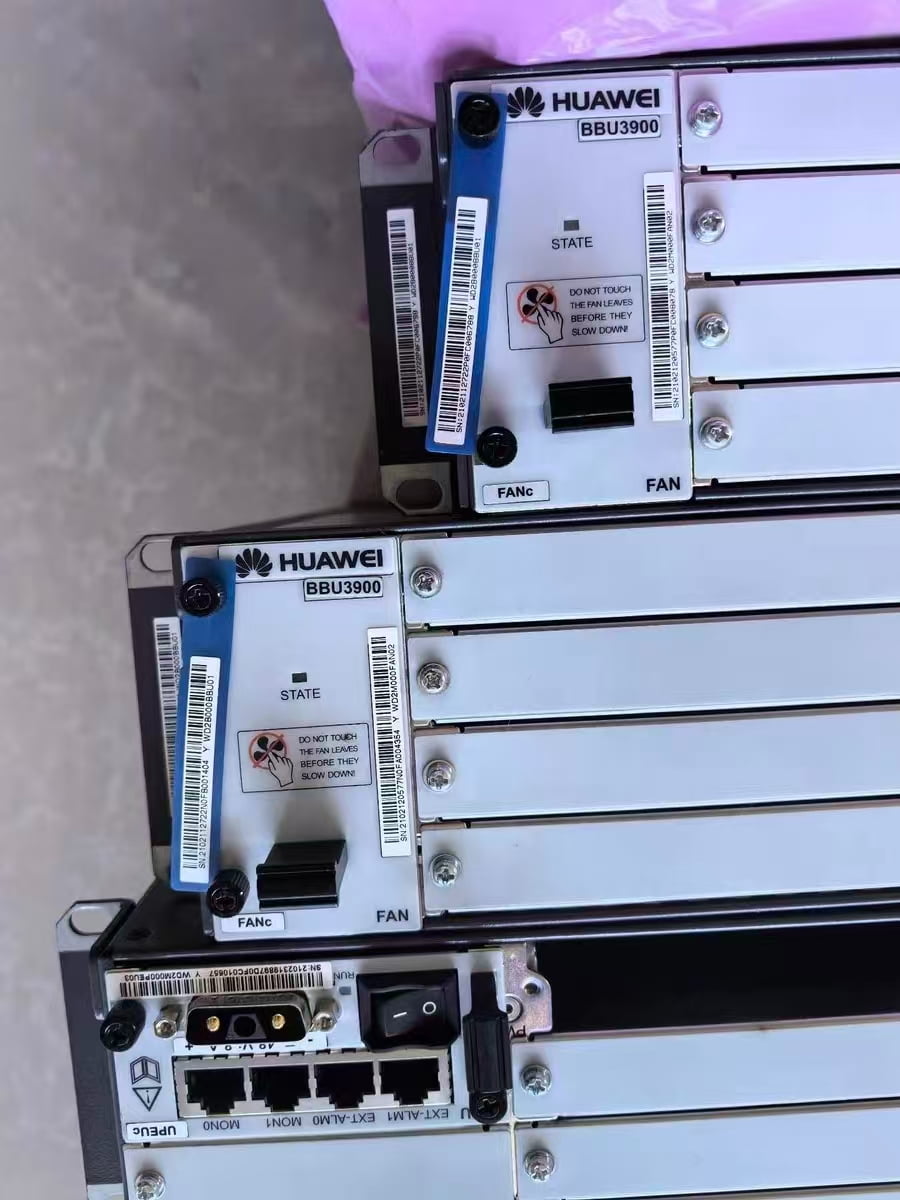
The Huawei BBU5900 is a baseband unit used in Huawei distributed base station solutions.
It provides centralized baseband processing, system control, transmission, clock synchronization, power management and communication with remote radio equipment such as RRUs and AAUs.
In a distributed base station architecture, the BBU performs digital baseband processing while remote radio units are installed closer to the antennas. The BBU and radio units communicate through optical links.
Huawei’s official DBS5900 product information lists the following specifications for the BBU5900:
- Dimensions: 86 × 442 × 310 mm
- Full-configuration weight: up to 18 kg
- Input voltage: nominal -48 V DC
- Operating voltage range: -38.4 V DC to -57 V DC
- Long-term operating temperature: -20°C to +55°C
- Relative humidity: 5% to 95%
- Protection rating: IP20
- Heat dissipation capacity with FANf: up to 2100 W
The BBU5900 is a modular platform. Its actual capabilities depend on the boards installed in the chassis and the software and licenses used by the network.
BBU5900 Chassis Does Not Always Mean a Complete BBU
One of the most common misunderstandings in the secondary market concerns the meaning of “BBU5900.”
A quotation may refer to:
- An empty BBU5900 chassis
- A chassis with FANf only
- A chassis with FANf and UPEUe
- A chassis with FANf, UPEUe and UMPT
- A fully configured BBU with control and baseband processing boards
These configurations can have very different values.
When requesting a quotation, buyers should clearly state whether they need:
BBU5900 chassis only
or:
A complete working BBU5900 configuration with FANf, UPEUe, UMPT and UBBP boards
Without a detailed configuration list, two suppliers may quote completely different products under the same name.
Huawei BBU5900 Slot Arrangement
The BBU5900 contains 11 functional slots.
According to publicly available BBU5900 hardware documentation, the general slot arrangement is:
| Component | Typical slot assignment |
|---|---|
| Half-width UBBP or USCU boards | Slots 0, 1, 2, 3, 4 and 5 |
| UMPT main control boards | Slots 6 and 7 |
| FANf fan module | Slot 16 |
| UPEUe or UEIUb | Slot 18 |
| UPEUe power unit | Slot 19 |
The usual priority for installing half-width UBBP boards is:
Slot 4 → Slot 2 → Slot 0 → Slot 1 → Slot 3 → Slot 5
UMPT boards normally use:
Slot 7 → Slot 6
UPEUe units normally use:
Slot 19 → Slot 18
These are general hardware assignment principles. The final board arrangement can change according to the radio access technology, base station mode and Huawei software release.
Understanding Huawei UBBP Boards
UBBP stands for Universal Baseband Processing Unit.
A UBBP board processes uplink and downlink baseband signals. Its functions may include:
- Channel coding and decoding
- Modulation and demodulation
- Uplink and downlink data processing
- Cell and user processing
- Communication with radio units
- CPRI-based radio interface processing
- Multi-RAT baseband resource processing
Different UBBP generations provide different capacities and support different radio technologies.
UBBPd6
UBBPd6 is an earlier-generation universal baseband processing board frequently found in existing Huawei BBU3900, BBU3910 and BBU5900 networks.
Depending on the applicable software and operating mode, it may support GSM, UMTS, LTE FDD, LTE TDD and NB-IoT configurations.
Published Huawei BBU technical information lists examples such as:
- Up to 48 two-receiver UMTS carriers or 24 four-receiver carriers
- LTE processing throughput of up to approximately 1200 Mbit/s downlink
- LTE processing throughput of up to approximately 600 Mbit/s uplink
- Up to six 20 MHz LTE TDD 2T2R or 4T4R cells in certain configurations
These values are configuration-dependent and should not be treated as universal capacity guarantees for every network.
UBBPd6 is still requested for maintenance and expansion of installed networks, especially when the operator wants to preserve compatibility with an existing software and board configuration.
UBBPe4
UBBPe4 is one of the most frequently requested BBU5900 baseband boards in the secondary market.
It is commonly used for UMTS, LTE FDD, LTE TDD and NB-IoT processing, depending on the software release and network configuration.
Published technical information lists processing capabilities of up to approximately:
- 1200 Mbit/s downlink
- 600 Mbit/s uplink
- Six 20 MHz LTE TDD 2T2R or 4T4R cells in certain configurations
- Three 20 MHz LTE TDD 8T8R cells in certain configurations
Huawei’s current DBS5900 product page also lists UBBPe4 among the supported macro baseband processing boards for the displayed BBU5900 configuration.
From our market experience, UBBPe4 is popular because it appears in many existing Huawei network configurations and can support several radio technologies.
However, buyers should not assume that every UBBPe4 can be inserted into any BBU5900 and immediately operate. Software version, licenses, board mode and existing site configuration still need to be checked.
UBBPe6
UBBPe6 provides higher baseband processing capacity than UBBPe4 in many configurations.
Published Huawei technical information lists examples of up to:
- 2400 Mbit/s downlink throughput
- 1200 Mbit/s uplink throughput
- Twelve 20 MHz LTE TDD 2T2R or 4T4R cells
- Six 20 MHz LTE TDD 8T8R cells
UBBPe6 may be selected when greater LTE capacity is required, but the board must still be matched with:
- A compatible BBU software release
- A suitable UMPT board
- The required licenses
- The correct radio units
- The correct CPRI topology
- The required base station mode
A higher-capacity board is not automatically a direct replacement for an older board in every network.
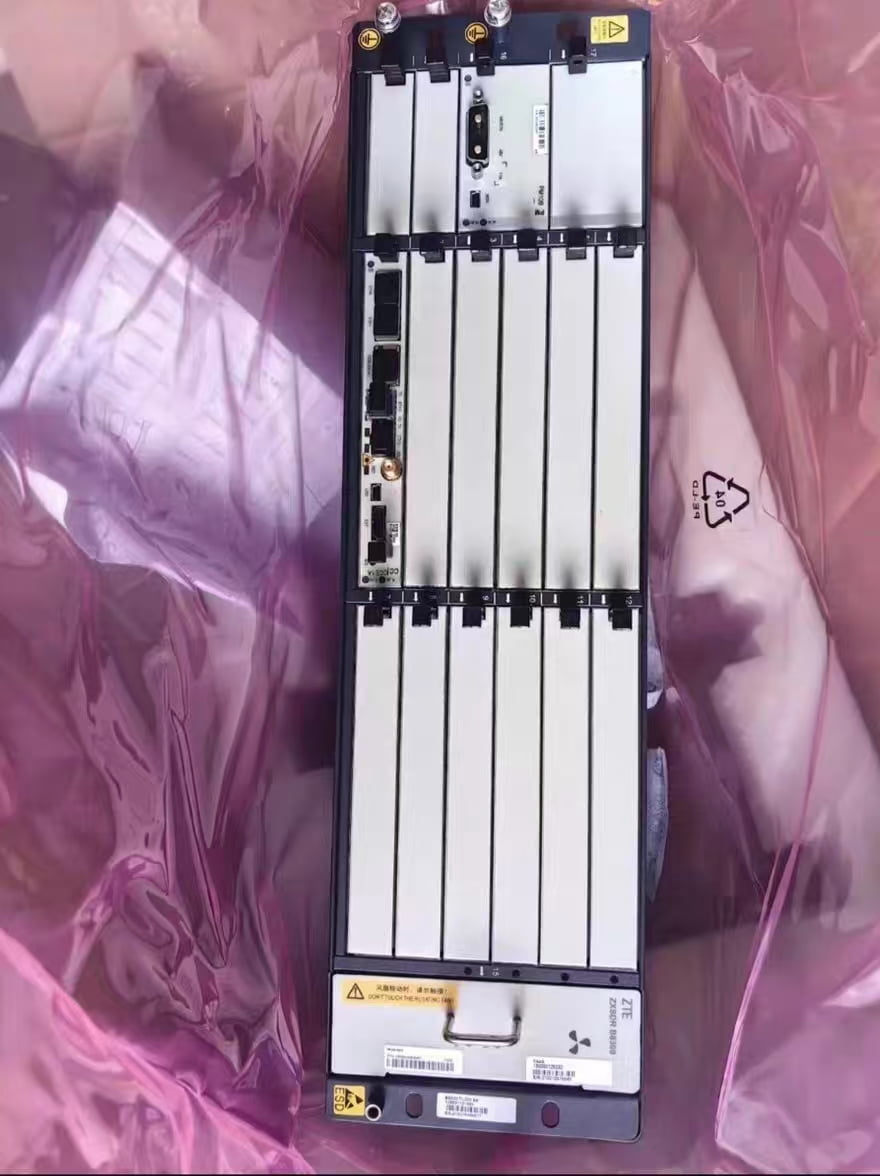
UBBPg-Series Boards
Later BBU5900 configurations may use UBBPg-series processing boards, including:
- UBBPg1
- UBBPg1a
- UBBPg2
- UBBPg2a
- UBBPg3
These boards provide newer or higher-capacity processing options and may support LTE, NB-IoT, multi-RAT or certain NR-related configurations depending on the board type and software release.
The exact compatibility must be checked carefully because UBBPg variants may have different:
- Processing capacities
- Interface capabilities
- Supported RATs
- CPRI or eCPRI capabilities
- Software requirements
- Slot and combination rules
A quotation should therefore include the complete board name and PN, not only “UBBPg.”
Quick Comparison of Common UBBP Boards
| Board | General market positioning | Example published LTE throughput | Important checks |
|---|---|---|---|
| UBBPd6 | Earlier-generation multi-mode baseband board | DL 1200 / UL 600 Mbit/s | Software, RAT, licenses and replacement compatibility |
| UBBPe4 | Widely used multi-mode baseband board | DL 1200 / UL 600 Mbit/s | Board mode, software, frequency-layer design and CPRI topology |
| UBBPe6 | Higher-capacity baseband processing board | DL 2400 / UL 1200 Mbit/s | UMPT compatibility, software release and capacity license |
| UBBPg1a | Later-generation processing option | Configuration-dependent | RAT, software release and interface requirements |
| UBBPg2 | Higher-capacity later-generation board | Configuration-dependent | Exact variant, CPRI/eCPRI and software |
| UBBPg3 | Advanced multi-RAT/NR-capable configurations | Configuration-dependent | UMPT generation, NR/LTE mode, software and licenses |
The figures above are reference values from published Huawei technical materials. Actual network capacity depends on bandwidth, antenna configuration, traffic model, radio technology, software and license configuration.
Understanding Huawei UMPT Boards
UMPT stands for Universal Main Processing and Transmission Unit.
The UMPT is the main control board of the BBU. It controls and manages the base station and provides functions such as:
- Configuration management
- Equipment management
- Performance management
- Alarm and fault management
- Signalling processing
- Transmission interfaces
- Clock and synchronization management
- Software management
- Communication with the network management system
A BBU5900 normally requires at least one appropriate UMPT board.
Some configurations may use two UMPT boards for redundancy or additional operating requirements.
Common UMPT Families
BBU5900 configurations may involve different UMPT generations, including:
- UMPTb
- UMPTe
- UMPTga
- UMPTg
Frequently requested versions include:
- UMPTb3
- UMPTb9
- UMPTe2
- UMPTe3
- UMPTga2
- UMPTga3
- UMPTg2
- UMPTg3
Huawei’s official DBS5900 product page currently lists UMPTe2, UMPTe3, UMPTg2 and UMPTg3 among the supported main control boards for the displayed macro configuration.
Other Huawei technical documents also describe UMPTb, UMPTga and additional UMPT variants in BBU5900 configurations.
This difference is important: Huawei documents may refer to different product releases, industries, regions and base station modes. Therefore, a board appearing in one BBU5900 document does not mean that it is universally supported in every BBU5900 deployment.
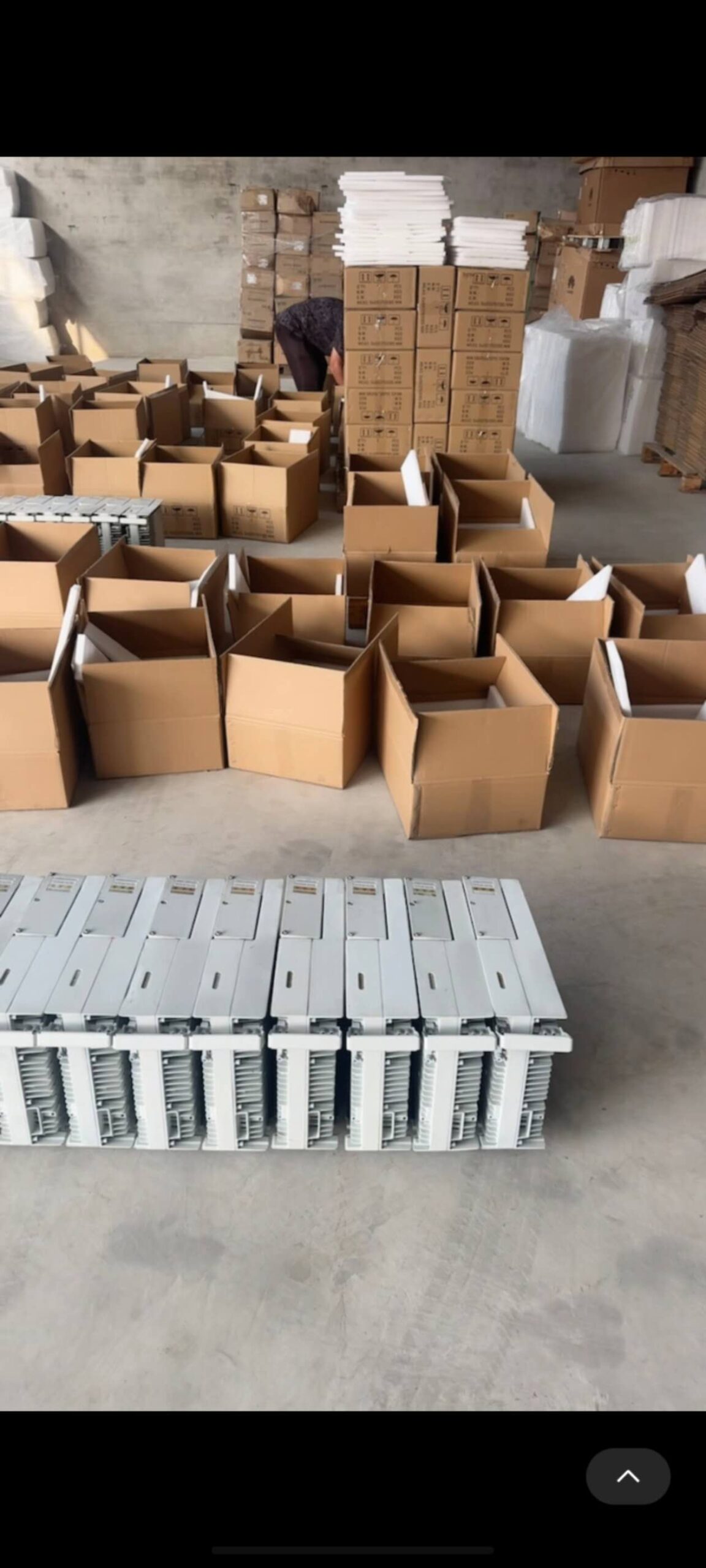
UMPTg3
UMPTg3 is a later-generation main control and transmission board requested for higher-capacity and multi-RAT BBU5900 applications.
Depending on the software and configuration, the UMPTg family can support combinations involving:
- GSM
- UMTS
- LTE FDD
- LTE TDD
- NB-IoT
- Certain NR configurations
UMPTg3 should be checked against the required UBBP boards, software release, licenses and transmission design.
For example, a customer requesting UMPTg3 together with UBBPe4, UBBPe6 or UBBPg-series boards should provide the intended network mode and current BBU configuration.
The model name alone is not enough to confirm compatibility.
UPEUe Power and Environment Interface Unit
UPEUe stands for Universal Power and Environment Interface Unit type e.
It provides power input and power-related management functions for the BBU5900.
The BBU5900 uses a nominal -48 V DC power supply, with a published operating voltage range of:
-38.4 V DC to -57 V DC
The BBU5900 can accommodate UPEUe units in slots 18 and 19. The required number depends on the configuration and redundancy requirements.
When purchasing a BBU5900, buyers should confirm:
- Whether UPEUe is included
- How many UPEUe units are included
- Whether the power connectors are included
- Whether the units have been power tested
- Whether dual power input is required
- Whether UEIUb occupies slot 18
A chassis without the required UPEUe cannot be treated as a complete, ready-to-power BBU.
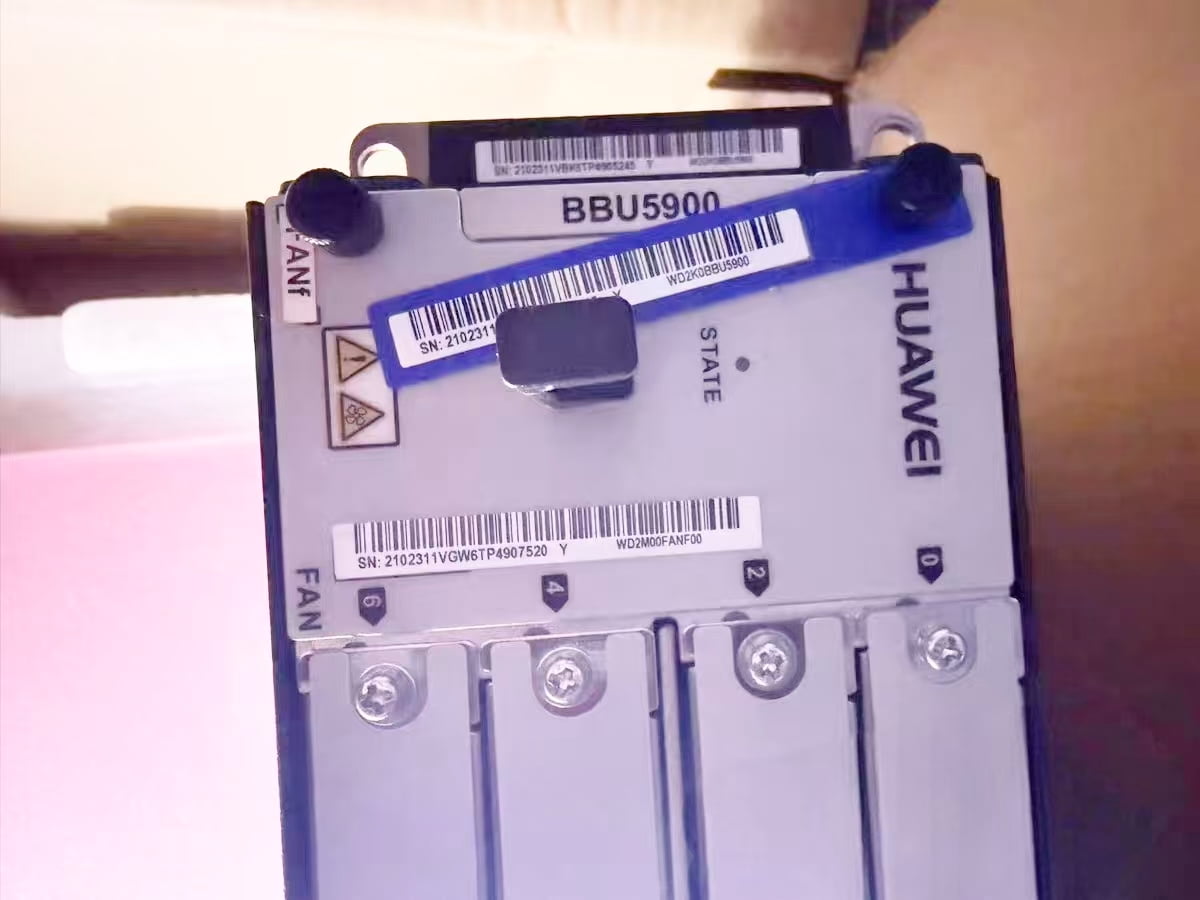
FANf Fan Module
FANf is the dedicated fan module for the BBU5900.
It is normally installed in slot 16 and provides forced-air cooling for the chassis and installed boards.
The published BBU5900 heat dissipation capability is up to 2100 W when configured with FANf.
When sourcing used BBU5900 equipment, FANf should be checked for:
- Correct model
- Complete fan assembly
- Damaged blades
- Abnormal noise
- Excessive dust
- Fan alarm status
- Stable operation after power-on
- Damaged connectors or locking mechanisms
A fan module may look normal while still producing alarms or unstable rotation. Visual inspection alone is not always sufficient.
Physical Compatibility Is Not the Same as Operational Compatibility
This is the most important point in this guide.
A board may physically fit into a BBU5900 slot but still fail to operate correctly.
Compatibility may depend on:
- BBU software release
- Board hardware revision
- Exact Huawei PN
- Radio access technology
- Single-mode or multi-mode configuration
- Required licenses
- Existing UMPT type
- Other installed UBBP boards
- RRU or AAU model
- CPRI or eCPRI topology
- Transmission-port requirements
- Clock and synchronization design
Before approving a substitute board, the buyer should obtain confirmation from its technical team or network integrator.
Part Number Matters
Huawei boards with the same commercial model name may have different PNs or BOM codes.
Differences may relate to:
- Hardware revision
- Component changes
- Regional configuration
- Manufacturing update
- Software compatibility
- Replacement relationship
- Product lifecycle
For this reason, a good BBU5900 RFQ should contain both:
- Board model
- Complete Huawei PN
If the PN is unknown, the buyer should provide a clear photo of the original board label.
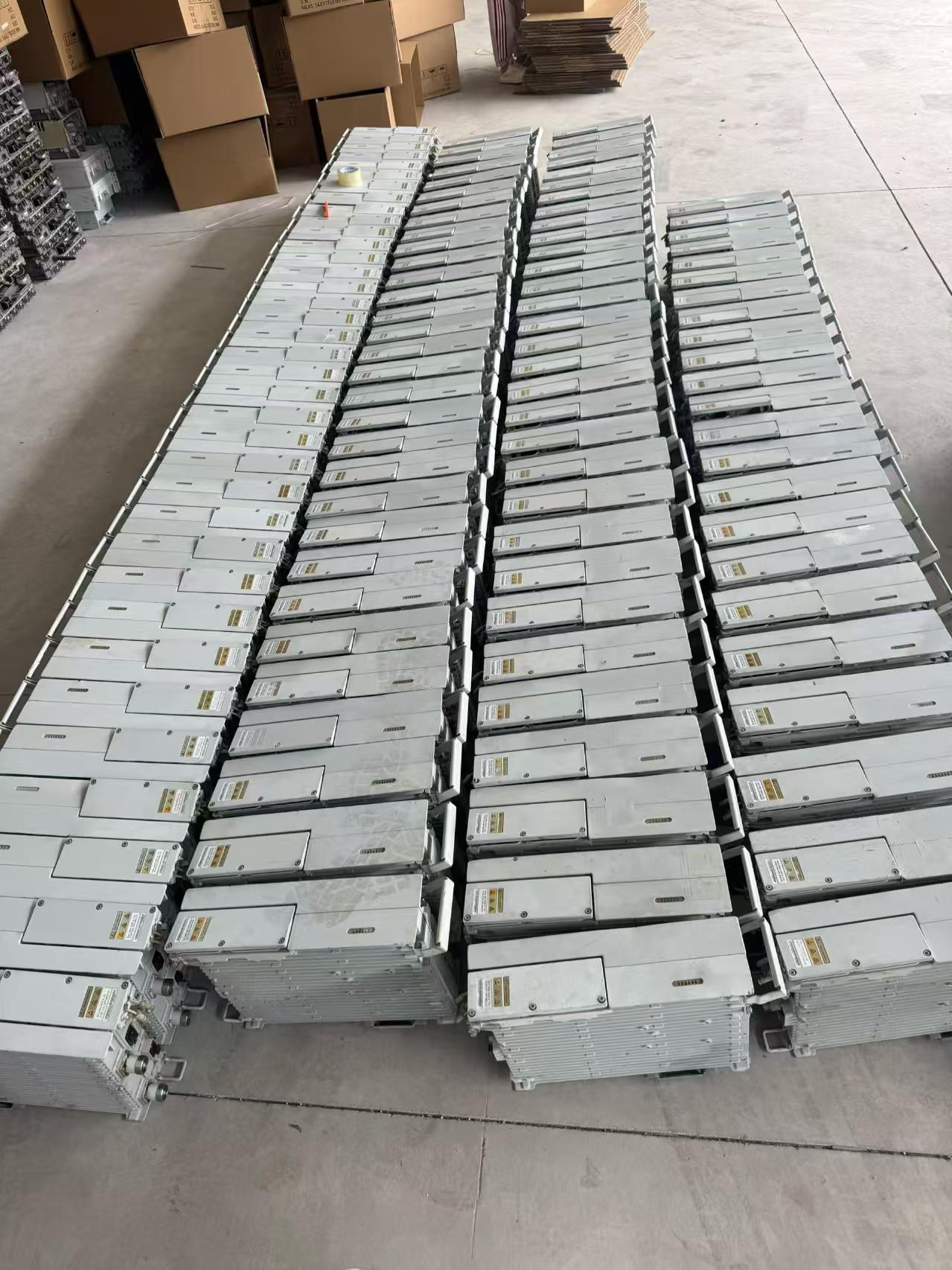
Common BBU5900 Purchasing Mistakes
Buying a Bare Chassis When a Complete BBU Is Required
The buyer requests “one BBU5900,” but the quotation covers only the metal chassis.
FANf, UPEUe, UMPT and UBBP boards may not be included.
Selecting UBBP Boards Only by Price
A cheaper UBBP may have insufficient capacity or may not support the required network mode.
Assuming a Newer Board Is Always a Direct Replacement
A higher-generation UBBP or UMPT may require a newer software release, different licenses or changes to other boards.
Ignoring the Exact PN
The model may appear correct, but the hardware revision may not match the installed network.
Forgetting FANf or UPEUe
A buyer may purchase the chassis and processing boards but later discover that the fan or power module is missing.
Not Confirming Optical Modules
Optical modules and fibers may not be included with UBBP or UMPT boards unless clearly stated.
Mixing Boards Without Checking Software
Different board generations may not work together under the customer’s existing software release.
Information Required for a BBU5900 RFQ
To receive an accurate quotation, buyers should provide:
Product: BBU5900
Quantity:
Chassis only or complete configuration:
Required UMPT model and PN:
Required UBBP model and PN:
Quantity of each board:
Required FANf:
Required UPEUe quantity:
Required UEIUb:
Required USCU:
Required optical modules:
Required radio technology:
Software version:
Connected RRU or AAU model:
New, used or refurbished:
Required production date:
Destination country:
Required delivery time:
If the customer does not know the exact configuration, photos of the existing BBU, board labels and slot arrangement are extremely useful.
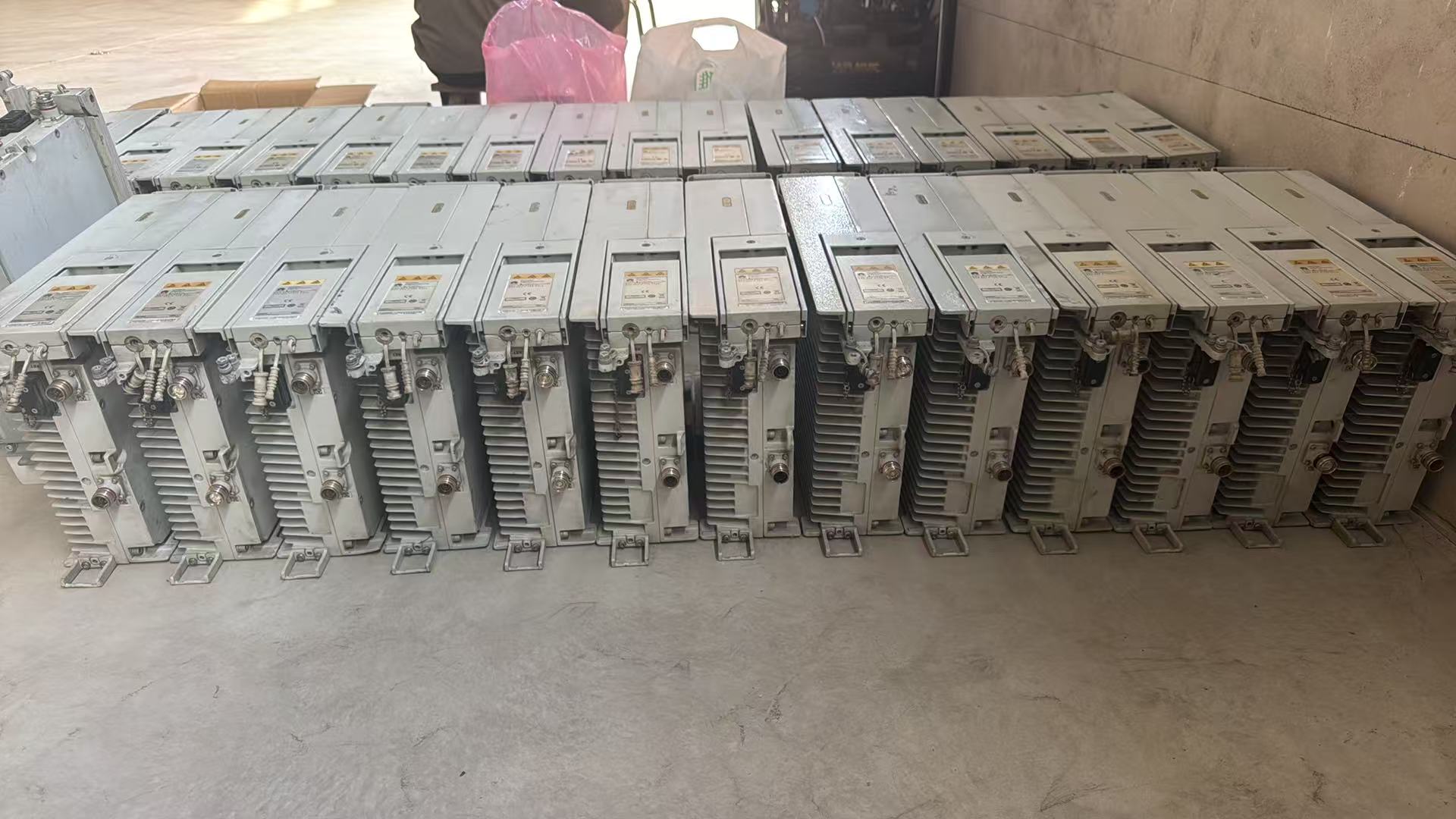
Our First-Hand Sourcing Experience
In our daily telecom spare parts business, BBU5900 requests often arrive as a simple line:
Huawei BBU5900 — quantity 10
After discussing the requirement, we often discover that different buyers mean completely different things.
One buyer may need only empty chassis. Another may expect FANf and UPEUe to be included. A third may require a fully configured system with UMPTg3 and several UBBPe4 or UBBPe6 boards.
Recently, we received several BBU5900 requirements from Russian and Turkish customers. We also have a French customer considering an order for 12 units.
These enquiries again show why suppliers should confirm the complete configuration before quoting.
For secondary-market equipment, we normally confirm:
- Chassis condition
- Exact board models
- Board PNs
- Required quantities
- Included FANf and UPEUe units
- Accessories and optical modules
- Testing requirements
- Production-date requirements
- Whether partial or mixed configurations are acceptable
This preparation reduces the risk of delivering a chassis that cannot be used in the customer’s network.
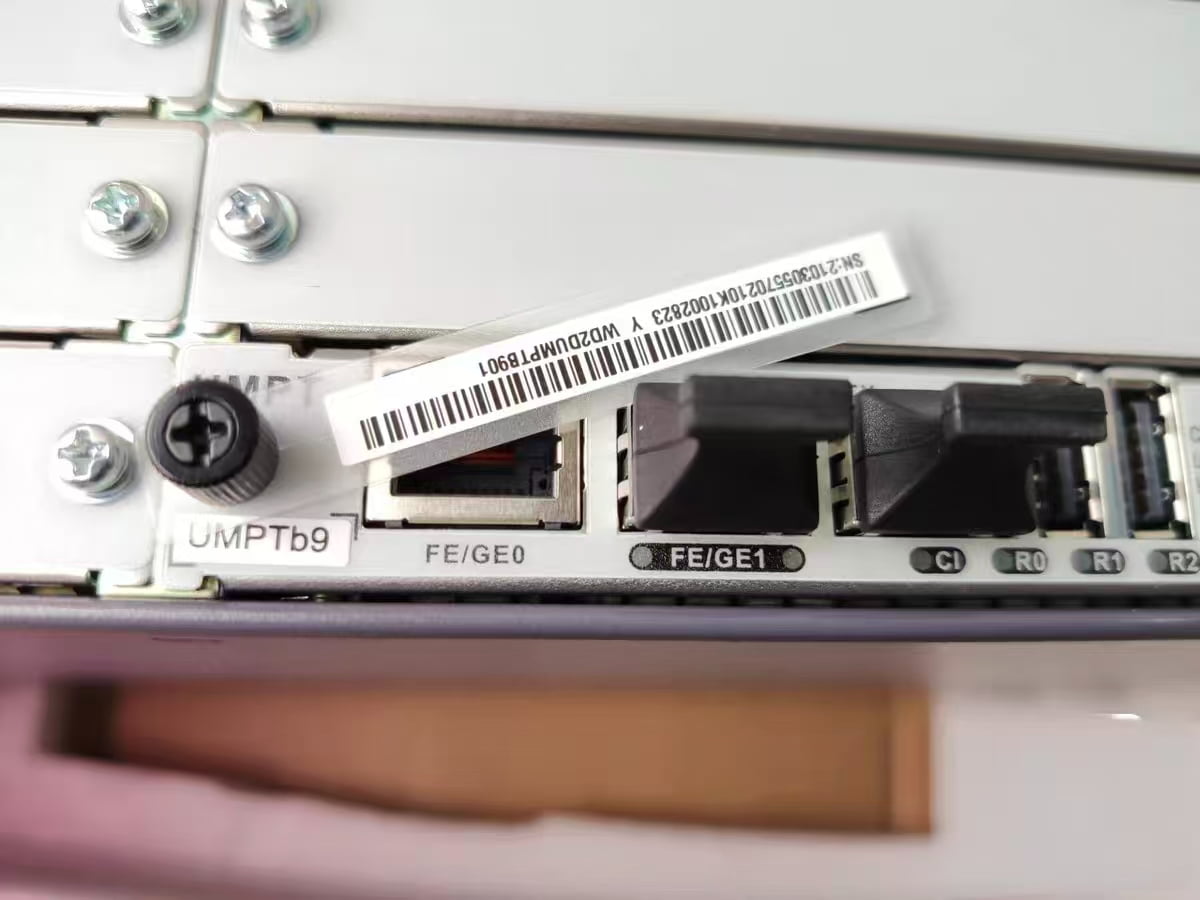
Inspection of Used Huawei BBU5900 Equipment
For used and refurbished BBU5900 equipment, inspection may include:
Chassis Inspection
- Check for deformation, cracks and corrosion
- Inspect slot guides and backplane connectors
- Verify that locking mechanisms are complete
- Check for dust, moisture or signs of overheating
Label Verification
- Confirm chassis model and PN
- Confirm every board model and PN
- Record serial numbers
- Check whether labels are clear and unaltered
Power-On Test
- Install compatible UPEUe and FANf units
- Apply the correct -48 V DC power
- Check startup status
- Check power and fan alarms
- Confirm stable operation
Board Recognition
Where the appropriate test environment is available:
- Verify that UMPT is recognized
- Verify that installed UBBP boards are recognized
- Check board status
- Review active hardware alarms
- Record test results by serial number
Port Inspection
- Check optical cages
- Check electrical transmission ports
- Inspect power connectors
- Confirm that ports are not physically damaged
The final test scope depends on the available software, licenses, radio equipment and laboratory environment.
Can Different UBBP Boards Be Mixed?
In some BBU5900 configurations, different UBBP models may be installed in the same chassis.
However, this does not mean that any combination is supported.
Mixing boards depends on:
- Base station mode
- Software version
- UMPT generation
- RAT allocation
- License configuration
- Slot rules
- Required capacity
- Connected radio units
The buyer’s technical team should approve a mixed-board configuration before shipment.
Can UBBPe4 Replace UBBPd6?
Sometimes UBBPe4 may be considered when replacing or upgrading an older UBBPd6 configuration, but it should not be treated as an automatic one-for-one replacement.
The customer should confirm:
- Existing software release
- Current UMPT
- RAT and cell configuration
- Licenses
- Capacity requirements
- Slot allocation
- RRU compatibility
- Huawei replacement or upgrade requirements
The safest approach is to provide the existing board model, PN and software version before requesting a replacement.
Is UMPTg3 Compatible With UBBPe4 and UBBPe6?
Huawei technical documentation includes BBU5900 configurations involving UMPTg-family control boards and UBBPe-family baseband boards.
However, exact compatibility depends on the software version, operating mode, board role and total configuration.
Therefore, a supplier can confirm that these boards belong to the BBU5900 ecosystem, but final operational compatibility should be approved against the customer’s site configuration.
Final Thoughts
Huawei BBU5900 is a flexible modular baseband platform, but that flexibility also makes procurement more complicated.
A correct order requires more than purchasing a chassis and several boards with familiar names.
Buyers should confirm:
- Whether the quotation is for a bare or configured chassis
- Which UMPT board is required
- Which UBBP boards are required
- Whether UPEUe and FANf are included
- Exact model and PN of every board
- Software and license compatibility
- Network mode and connected radio units
- Testing and accessory requirements
For suppliers, the safest practice is to list every included component clearly in the quotation and PI.
For buyers, the safest practice is to provide the current configuration, label photos and intended network mode before accepting a substitute.
A board that fits into a slot is not necessarily a board that will work in the network.
Frequently Asked Questions
What boards are required for a Huawei BBU5900?
A typical working configuration requires a BBU5900 chassis, FANf, UPEUe, a compatible UMPT main control board and one or more UBBP baseband processing boards. Additional units may include UEIUb, USCU and optical modules.
Does a BBU5900 chassis include FANf and UPEUe?
It depends on the quotation. Some chassis are sold bare, while others include FANf, UPEUe or additional boards. Every included component should be listed separately.
What is the difference between UBBPe4 and UBBPe6?
UBBPe6 generally provides greater processing capacity. Published reference values list up to 2400 Mbit/s downlink and 1200 Mbit/s uplink for UBBPe6, compared with 1200 Mbit/s downlink and 600 Mbit/s uplink for UBBPe4 in relevant LTE configurations.
Can UMPTg3 be used in BBU5900?
Yes, Huawei lists UMPTg3 as a supported main control board for certain BBU5900 configurations. Actual compatibility depends on software, licenses, RAT and the complete board configuration.
What is UPEUe used for?
UPEUe provides power input and environment-related interface functions for the BBU5900. It operates with a nominal -48 V DC supply.
What is FANf used for?
FANf is the BBU5900 fan module. It cools the chassis and installed boards and is normally installed in slot 16.
Can used BBU5900 boards be tested before shipment?
Yes, basic inspection, power-on testing, board recognition and alarm checks may be supported when a suitable test environment is available. The exact test scope should be agreed before the order.
What information is needed for a BBU5900 quotation?
Buyers should provide the exact model, PN, quantity, required condition, UMPT type, UBBP types, power and fan requirements, network mode, software version, connected RRU or AAU and destination country.
Author: Alison Liu
Company: Baoding Enken Trading Co., Ltd.
Industry: Secondary telecom equipment and spare parts supply
Supply Scope: Huawei, ZTE, Ericsson, Nokia and Juniper BBU, RRU, AAU, board cards, OLT, OSN, PTN, RTN, DWDM and related accessories.
Author’s Note: This guide combines publicly available Huawei technical information with practical experience from telecom spare parts sourcing. It is intended as a purchasing reference and does not replace Huawei’s project-specific configuration, compatibility or software documentation.